Virtual Self-Paced 3 Day Class - Digital Data & Cellular Record Analysis w/ Nighthawk
A virtual self-paced 3 day class ($750) that a student can complete by watching a pre-recorded 3 day virtual class while completing hands-on practical’s.
Access to virtual class material and recordings for up to 30 days or until completion of class (whichever occurs first).
This class is only open to Law Enforcement, Government Crime Analysts, Prosecutors/District Attorneys, and government criminal investigators.
The class is designed for brand new or current Nighthawk users that are ready to take their ability to analyze, interpret, and apply digital data to investigations to the next level.
Students will be instructed on how to analyze digital data including cellular records, cell tower/area searches, Cellebrite extractions, geolocation data, social media content, and so much more.
Students who don’t have a Nighthawk account can contact LeadsOnline to request a free trial at support@leadsonline.com. Advise LeadsOnline that you are taking the self-paced class.
Hi-Tech Investigations is a trusted training partner with LeadsOnline.
Students who complete this course will receive a training certificate along with a 25% discount off 1 future in-person or virtual Hi-Tech class (limit 1 per paid student).
Click the Learn More button to create your Hi-Tech online account and then to pay for the class via credit card. Make sure you pay for the class using the student’s Hi-Tech online login.
Email training@hi-techinvestigations.com to pay via check and to also inquire about a discount for multiple students ($150 off the 2nd purchase and additional purchases per agency).
-
-
Part 1 - Introduction to LeadsOnline Nighthawk
Students will be introduced to LeadsOnline Nighthawk. The LeadsOnline Toolbox will be discussed along with student resources. The basic interface will be discussed along with a sample case in Nighthawk.
Please download the student files using the download link in this lesson.
To contact the instructor, email training@hi-techinvestigations.com
Students will be introduced to LeadsOnline Nighthawk. The LeadsOnline Toolbox will be discussed along with student resources. The basic interface will be discussed along with a sample case in Nighthawk.
Please download the student files using the download link in this lesson.
To contact the instructor, email training@hi-techinvestigations.com
-
Part 2 - Creating a case in Nighthawk
Students will be instructed on how a case can be created in Nighthawk. Using the provided student files, a student will create the Homicide of Newman exercise in Nighthawk. Students will create subjects, upload images, create relationships, and create contacts in the case.
Students, please add in the access control the following instructor to review your work: training@hi-techinvestigations.com
Students will be instructed on how a case can be created in Nighthawk. Using the provided student files, a student will create the Homicide of Newman exercise in Nighthawk. Students will create subjects, upload images, create relationships, and create contacts in the case.
Students, please add in the access control the following instructor to review your work: training@hi-techinvestigations.com
-
Part 3 - Datasets in Nighthawk
Students will be instructed on how to import different types of data into Nighthawk. Students will import cellular records into the subjects they created in the Homicide of Newman case exercise. Students will be informed of best practices in using cell tower lists when forensically mapping Cell Site Location Information. Students will also be shown how to import other data sets into Nighthawk using the Import Wizard.
Students will be instructed on how to import different types of data into Nighthawk. Students will import cellular records into the subjects they created in the Homicide of Newman case exercise. Students will be informed of best practices in using cell tower lists when forensically mapping Cell Site Location Information. Students will also be shown how to import other data sets into Nighthawk using the Import Wizard.
-
Part 4 - Visualizing Data in Nighthawk
Students will be guided thru how to visualize datasets in Nighthawk. The active timeline, the map, the Interaction tools, list tool, and SIFT tool layouts will be discussed. Students will be shown how to view geolocation data in the map using the Active Timeline. Students will be shown how to add bookmarks to note important dates/times/locations. Students will be shown how to export images from the map and how to use the step control and the animation control.
Students will be guided thru how to visualize datasets in Nighthawk. The active timeline, the map, the Interaction tools, list tool, and SIFT tool layouts will be discussed. Students will be shown how to view geolocation data in the map using the Active Timeline. Students will be shown how to add bookmarks to note important dates/times/locations. Students will be shown how to export images from the map and how to use the step control and the animation control.
-
Part 5 - List Tool & SIFT Tool
Students will be guided thru how to use the List Tool and the Subject Interactive Filtering Tool (SIFT Tool) to visualize datasets in Nighthawk. Students will be guided in using the List tool and SIFT tool in the Homicide of Newman case exercise to view data. Students will be shown how to make comments on data and to tag data for evidence. Students will be shown how to add subjects to the SIFT tool to be able to analyze communication from multiple subjects and from multiple datasets at once.
Students will be guided thru how to use the List Tool and the Subject Interactive Filtering Tool (SIFT Tool) to visualize datasets in Nighthawk. Students will be guided in using the List tool and SIFT tool in the Homicide of Newman case exercise to view data. Students will be shown how to make comments on data and to tag data for evidence. Students will be shown how to add subjects to the SIFT tool to be able to analyze communication from multiple subjects and from multiple datasets at once.
-
Part 6 - Interaction Network Diagram & Count-By Tools
Students will be guided on how to use the Interaction Network Diagram, Count-By Tool, and Interaction Frequency Tools to visualize datasets in Nighthawk. Students will use these tools in the Homicide of Newman exercise to view communications with subjects. Using the Count-By Tool, students will be instructed how to identify the top caller and most used cell site from Call Detail Records (CDRs). Students will be shown who to export these images to their case.
Students will be guided on how to use the Interaction Network Diagram, Count-By Tool, and Interaction Frequency Tools to visualize datasets in Nighthawk. Students will use these tools in the Homicide of Newman exercise to view communications with subjects. Using the Count-By Tool, students will be instructed how to identify the top caller and most used cell site from Call Detail Records (CDRs). Students will be shown who to export these images to their case.
-
-
-
Part 7 - Cellular Technology & Geolocation Theory
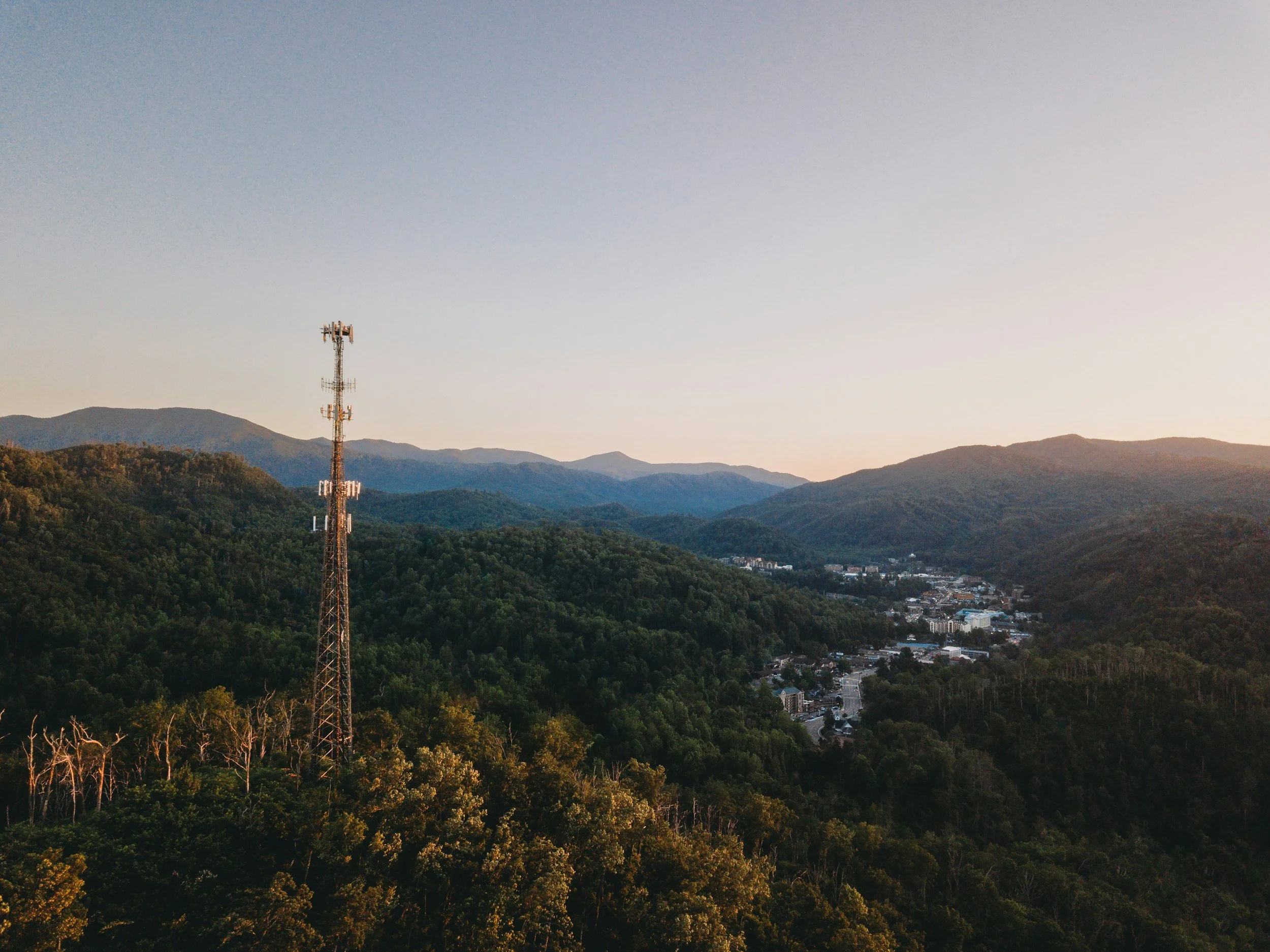
Students be introduced to cellular technology and radio frequencies. Different generations of cellular technology will be discussed along with how cell sites are configured. Different terms such as azimuth and beamwidth will be covered. Tower density will be discussed which affects coverage areas.
Students be introduced to cellular technology and radio frequencies. Different generations of cellular technology will be discussed along with how cell sites are configured. Different terms such as azimuth and beamwidth will be covered. Tower density will be discussed which affects coverage areas.
-
Part 8 - Cellular providers and how to identify and obtain cellular records
Students will be instructed on the different Mobile Network Operators and Mobile Virtual Network Operators including how to submit legal demands via online portals. VOIP networks will be discuss on how to identify users. Students will be instructed on how to use paid or free tools to identify the cellular provider and possible subscriber. Students are provided with search warrant and preservation templates to use for cases.
Students will be instructed on the different Mobile Network Operators and Mobile Virtual Network Operators including how to submit legal demands via online portals. VOIP networks will be discuss on how to identify users. Students will be instructed on how to use paid or free tools to identify the cellular provider and possible subscriber. Students are provided with search warrant and preservation templates to use for cases.
-
Part 9 - Call Detail Records
Students will be instructed what Call Detail Records are and what data they contain. Retention periods and how these records can be mapped will be discussed. Device identifiers will be discussed along with pre-paid phones and 911 only phones. Examples of CDR data will be provided from all major carriers including T-Mobile, AT&T, Verizon, Dish Wireless, and U.S. Cellular.
Students will be instructed what Call Detail Records are and what data they contain. Retention periods and how these records can be mapped will be discussed. Device identifiers will be discussed along with pre-paid phones and 911 only phones. Examples of CDR data will be provided from all major carriers including T-Mobile, AT&T, Verizon, Dish Wireless, and U.S. Cellular.
-
Part 10 - Specialized Location Records
Students will be instructed what Specialized Location Records are and what data they contain. Retention periods and how these records can be mapped will be discussed. AT&T Nelos/Locdbor records will be explained along with Timing Advance records and RTT records. Carrier data examples will be shown along with how this data is mapped in Nighthawk. How 4G and 5G tower identifiers are used in records will be discussed.
Students will be instructed what Specialized Location Records are and what data they contain. Retention periods and how these records can be mapped will be discussed. AT&T Nelos/Locdbor records will be explained along with Timing Advance records and RTT records. Carrier data examples will be shown along with how this data is mapped in Nighthawk. How 4G and 5G tower identifiers are used in records will be discussed.
-
Part 11 - Best practices & Fugitive Tracking
Students will be instructed on best practices in Cell Site Location Information (CSLI) and methodology on the practice of cellular record analysis and court testimony. Fugitive tracking will be discussed on leveraging cellular provider pings and social media tracking. Students will be shown how Nighthawk can be used to automatically map pings from cellular providers.
Students will be instructed on best practices in Cell Site Location Information (CSLI) and methodology on the practice of cellular record analysis and court testimony. Fugitive tracking will be discussed on leveraging cellular provider pings and social media tracking. Students will be shown how Nighthawk can be used to automatically map pings from cellular providers.
-
Part 12 - Geolocation analysis in Nighthawk
Students will be instructed on how cellular records and other geolocation data can be imported into Nighthawk. Best practices and archived towers will be discussed. Students will be instructed on how ECGI/CID identifiers are used in Nighthawk to map geolocation data. Students will work in the Homicide of Newman case to see tower density, terrain, and other mapping features including measurements.
Students will be instructed on how cellular records and other geolocation data can be imported into Nighthawk. Best practices and archived towers will be discussed. Students will be instructed on how ECGI/CID identifiers are used in Nighthawk to map geolocation data. Students will work in the Homicide of Newman case to see tower density, terrain, and other mapping features including measurements.
-
Part 13 - Homicide of Newman exercise
Students will now use Nighthawk to investigate the murder of Newman. Follow the instructions to attempt to solve this case. Contact the instructor once you complete your investigation.
Students will now use Nighthawk to investigate the murder of Newman. Follow the instructions to attempt to solve this case. Contact the instructor once you complete your investigation.
-
Part 14 - Homicide of Newman exercise review
Review data the instructor discovered and compare it to your case investigation. If you missed any evidence, continue your investigation and document the new findings in your Nighthawk case.
Review data the instructor discovered and compare it to your case investigation. If you missed any evidence, continue your investigation and document the new findings in your Nighthawk case.
-
-
-
Part 15 - Data Intersection Tool
Students will be instructed on how to use the Data Intersection Tool to compare data with data and look for common values. Students will use the Homicide of Newman case to compare common contacts with known suspects. Students will then be shown how to use the polygon creation tool in the map. Finally students will work on the Google Geofence exercise and will go over the results.
Students will be instructed on how to use the Data Intersection Tool to compare data with data and look for common values. Students will use the Homicide of Newman case to compare common contacts with known suspects. Students will then be shown how to use the polygon creation tool in the map. Finally students will work on the Google Geofence exercise and will go over the results.
-
Part 16 - Tower Dump & Area Searches
Students will be instructed what are Tower Dump and Area Searches. Students will be provided with a search warrant template they can use for cases and how to create them. Retention periods and what the records look like from the cellular providers will be discussed. Best practices will be discussed on how to obtain the best results using these warrants and investigative skills.
Students will be instructed what are Tower Dump and Area Searches. Students will be provided with a search warrant template they can use for cases and how to create them. Retention periods and what the records look like from the cellular providers will be discussed. Best practices will be discussed on how to obtain the best results using these warrants and investigative skills.
-
Part 17 - Tower Dump & Area Search exercise
Students will work on the Tower Dump & Area Search exercise using Nighthawk. Students will be shown how to import these records into Nighthawk and how to associate different data sets to different crime scene locations. Using the Intersect Tool, students will be able to identify common devices in more than one location. Tagging will be discussed on how to single out these common devices to view in the map.
Students will work on the Tower Dump & Area Search exercise using Nighthawk. Students will be shown how to import these records into Nighthawk and how to associate different data sets to different crime scene locations. Using the Intersect Tool, students will be able to identify common devices in more than one location. Tagging will be discussed on how to single out these common devices to view in the map.
-
Part 18 - Cellebrite records in Nighthawk
Students will be instructed on how to analyze data in Cellebrite Reader. Students will then be shown how to create a excel report using Cellebrite Reader and what data to include and not include for Nighthawk. Students will then work on the Cellebrite exercise by creating a case and importing a Cellebrite excel report. Students will be shown how to load media files in the SIFT tool to be able to analyze communication from the Cellebrite report.
Students will be instructed on how to analyze data in Cellebrite Reader. Students will then be shown how to create a excel report using Cellebrite Reader and what data to include and not include for Nighthawk. Students will then work on the Cellebrite exercise by creating a case and importing a Cellebrite excel report. Students will be shown how to load media files in the SIFT tool to be able to analyze communication from the Cellebrite report.
-
Students will be shown the answers to the Cellebrite exercise.
-
Part 20 - Social Media records in Nighthawk
Students will be instructed on how import and analyze social media data in Nighthawk. Students will then work on the Social Media exercise by creating a case and importing Facebook records and cellular data. Students will work on their own in the exercise using the map and the SIFT tool in Nighthawk to document evidence of the crime.
Students will be instructed on how import and analyze social media data in Nighthawk. Students will then work on the Social Media exercise by creating a case and importing Facebook records and cellular data. Students will work on their own in the exercise using the map and the SIFT tool in Nighthawk to document evidence of the crime.
-
Part 21 - Social Media exercise review
The Social Media exercise will be reviewed to see what data was relevant from the map and the SIFT Tool.
The Social Media exercise will be reviewed to see what data was relevant from the map and the SIFT Tool.
-
Part 22 - Word Lists in Nighthawk
Students will be instructed on how to use the Intersect Tool by intersecting words with data. Students will be shown the interface and how to access the default word lists and to create their own word lists. Students will then work on the Word List exercise on their own to document their findings.
Students will be instructed on how to use the Intersect Tool by intersecting words with data. Students will be shown the interface and how to access the default word lists and to create their own word lists. Students will then work on the Word List exercise on their own to document their findings.
-
Part 23 - Word Lists exercise review
Students will be shown some results from the Word List exercise. Students will be shown how to tag their findings and then use the tag filter tool to exclude untagged data in the SIFT tool. Finally, students will be shown how to export the findings in the SIFT tool as a shareable PDF file.
Students will be shown some results from the Word List exercise. Students will be shown how to tag their findings and then use the tag filter tool to exclude untagged data in the SIFT tool. Finally, students will be shown how to export the findings in the SIFT tool as a shareable PDF file.
-
Part 24 - Apple iCloud
Students will be instructed on how Apple iCloud data could be obtained via legal demands from Apple. Students will be shown what different types of identifiers can be used to locate a suspects iCloud account. Students will then be shown the process of downloading the encrypted GPG files from Apple. Magnet and Apple’s free Apple iCloud warrant tools will be introduced on how to simplify this process which could then be parsed in Cellebrite Physical Analyzer and Magnet Axiom.
Students will be instructed on how Apple iCloud data could be obtained via legal demands from Apple. Students will be shown what different types of identifiers can be used to locate a suspects iCloud account. Students will then be shown the process of downloading the encrypted GPG files from Apple. Magnet and Apple’s free Apple iCloud warrant tools will be introduced on how to simplify this process which could then be parsed in Cellebrite Physical Analyzer and Magnet Axiom.
-
Part 25 - Geolocation Analysis in Google Earth Pro
Students will be instructed on how to export the geolocation data from the Nighthawk map into a KMZ file. Students will be shown what settings to use in Google Earth Pro and how to view the KMZ file that was exported from Nighthawk. Students will also be shown how to change the visual settings in Google Earth Pro.
Students will be instructed on how to export the geolocation data from the Nighthawk map into a KMZ file. Students will be shown what settings to use in Google Earth Pro and how to view the KMZ file that was exported from Nighthawk. Students will also be shown how to change the visual settings in Google Earth Pro.
-
Part 26 - Storyboard & Case Export
Students will be instructed on how to create a storyboard in Nighthawk and how to edit slides. Students will then be shown how to export the storyboard as an HTML export and as a PowerPoint presentation. Finally, students will be shown how to export a case archive of all the data.
Students will be instructed on how to create a storyboard in Nighthawk and how to edit slides. Students will then be shown how to export the storyboard as an HTML export and as a PowerPoint presentation. Finally, students will be shown how to export a case archive of all the data.
-
Part 27 - Finale
The class will conclude with the outcome of the Newman murder investigation. Students will be give resources on how to continue their training with LeadsOnline Nighthawk.
Email the instructor when you have completed this Nighthawk class. A training certificate will be provided along with a 25% discount code to use for 1 future in-person or online Hi-Tech class. Not transferrable to anyone else.
The class will conclude with the outcome of the Newman murder investigation. Students will be give resources on how to continue their training with LeadsOnline Nighthawk.
Email the instructor when you have completed this Nighthawk class. A training certificate will be provided along with a 25% discount code to use for 1 future in-person or online Hi-Tech class. Not transferrable to anyone else.
-